


AI Mirror: AI Photo & Video
4.26.87K Reviews
App Specs
- Version
- 7.1.1
- Updated On
- License
- Free
- Downloads
- 10,000,000+
- Developer
- POLYVERSE INC.
- Categories
- Photography
- Platform
- Android, iOS
Screenshots
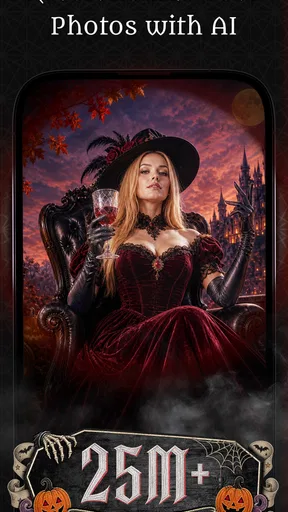
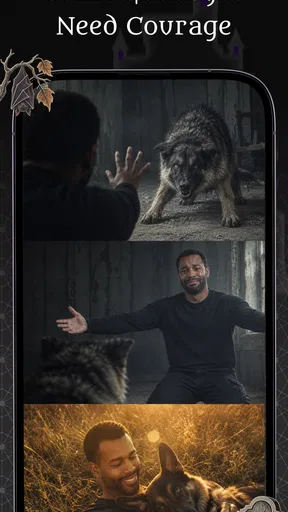
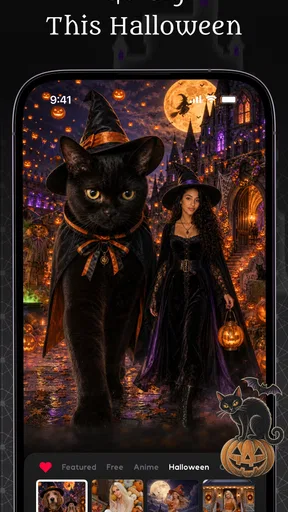
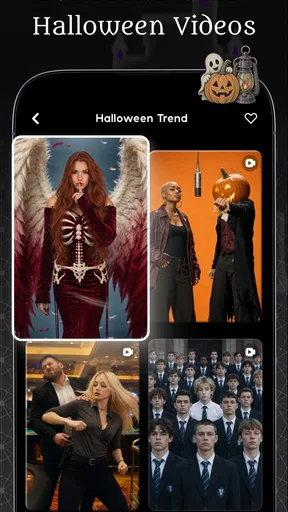
 Analysis by AppCompare
I see AI Mirror: AI Photo & Video as a playful creative editor rather than a dependable replacement for a traditional photo app. Its appeal is the chance to transform a familiar portrait into something visibly different, then try an animated or restored version without learning a complicated editing workflow. That makes it easy to recommend for casual experiments and social posts. I would be more cautious if you need precise retouching, predictable results, or a simple editor with no purchase prompts.
Where its AI approach shines—and where it asks for patience
I find the best way to judge AI Mirror is to separate the fun of getting an unexpected result from the patience needed when an effect misses the look I had in mind. A useful first test is to try the same clear portrait with more than one treatment, then compare each version at the size you plan to share it. That makes the app’s creative strengths—and the point where a conventional editor offers more control—easier to see.
Built for transformations, not careful retouching
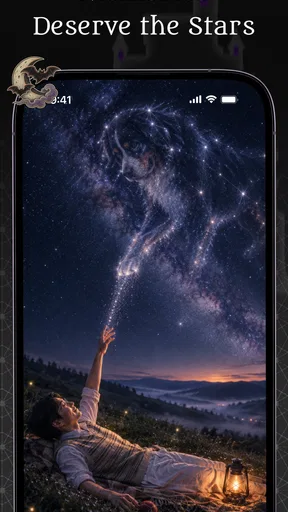
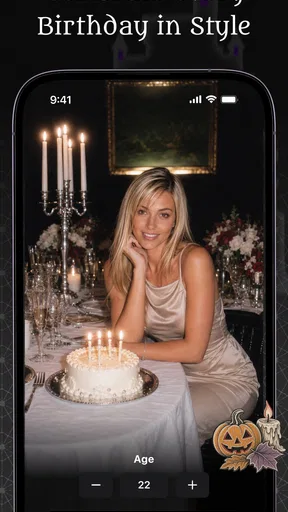
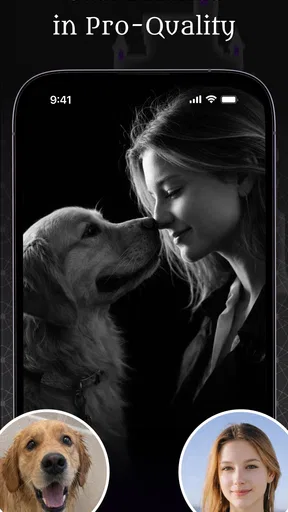
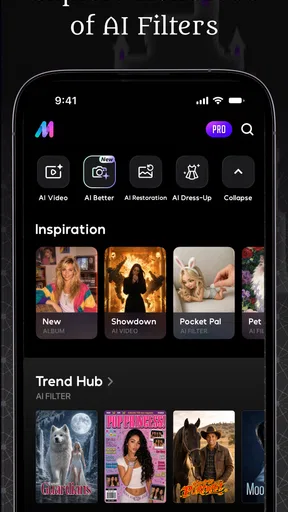
AI Mirror is a photography app from POLYVERSE INC. The central idea is to use AI-led effects on photos and videos, with anime-style transformations, dance-video creation, image restoration, enhancement, and editing among its creative directions. In practice, that puts it closer to a novelty studio than to a conventional tool for adjusting exposure, cropping a batch of images, or correcting small details by hand.
That distinction matters. If I want to give a portrait a striking new look, an AI effect can do more in a few taps than a standard editor’s sliders. But the trade-off is control: an automated transformation may change parts of a face or image that I would rather preserve. I would approach the results as interpretations, not faithful edits, and keep the original photo untouched until I have decided which version I actually like.
The app’s broad mix of still-image and video-oriented ideas is useful when I want to explore rather than complete one specific editing task. I can think of it as a place to test a visual concept—perhaps an anime-inspired profile picture or a short, lively clip—before deciding whether it suits the moment. That creative range is more interesting than a simple collection of filters, though it also means the experience may feel less focused than an editor built around one job.
A good fit for low-stakes creative experiments
The strongest use case is a photo I am happy to treat as raw material. A clear portrait, for example, gives an AI transformation a more useful starting point than a dim, crowded image where the main subject is hard to distinguish. If I were making a new profile image for a group chat, I would try a few distinctly different treatments and compare them side by side rather than assume the first result is the best one.
That comparison is a practical habit, not busywork. AI effects can produce a result that is technically polished but less recognizably me, or one that keeps my likeness while making the style feel too intense. Looking at several options helps me decide whether the effect has improved the image or simply made it louder. For a personal post, that can be part of the fun; for a work profile or an image where accurate appearance matters, it is a reason to choose a restrained conventional edit instead.
Worth Reading Before You Choose

EA SPORTS FC Mobile 26 Is a Bigger Football Game, but It Takes Time

Flipboard Shows What News Apps Must Do Beyond the Feed

Switching to Android Auto Means Rethinking Your Driving Routine

Google Calendar Makes a Crowded Week Easier to Manage

Ludo King Makes the Most of the Minutes Between Plans

Baby Panda World Brings Quick Play to Modern Phones, but Its Game Library Feels Busy
Restoration and enhancement are also attractive ideas for a familiar, imperfect picture. I would use them to see whether an older or less crisp image becomes easier to enjoy, while keeping expectations realistic: automated enhancement can make an image look cleaner, but it cannot guarantee that every small detail will be recovered exactly as it was. When the original matters as a record, I would preserve it and treat the edited copy as a separate creative version.
What the rating and scale suggest
The app has a 4.2 average from around 222,000 ratings and has passed 10 million installs. Those figures suggest that its accessible, effect-driven approach has found a substantial audience, but they do not tell me whether a particular result will suit my taste. AI edits are unusually personal: a transformation one person finds entertaining can look artificial or overdone to someone else.
That is why I would judge it by a small test with photos I do not mind experimenting on, rather than by popularity alone. Try one portrait with a clear face, then a more challenging image, and notice whether the app’s style feels like creative help or an obstacle to getting the look you want. If you are mainly after quick visual surprises, that test is likely to tell you more than a long list of editing tools would.
The everyday workflow I would actually use
Imagine I have a portrait from a casual day out and want a playful image to share with friends. I would start with a well-lit shot, keep the untouched original, and test an anime-like treatment before moving on to anything more elaborate. If the transformation changes my expression or makes the image feel unlike me, I would switch to another version—or abandon the experiment—rather than spend time trying to repair details an automated effect has altered.
For a short dance-style video, I would use the same mindset: treat the output as entertainment, review it before sharing, and choose a clip whose subject is clear. It is a better match for a lighthearted post than for footage where exact movement, clean editing, or a consistent professional look is the priority. Keeping the project small also makes it easier to decide whether the result is worth using without turning a quick idea into a lengthy editing session.
One useful workflow choice is to separate exploration from finishing. I would use this app to generate a distinctive starting point, then move to a more conventional editor if I need careful cropping, text placement, or fine adjustments. That division of labor plays to the AI effects’ visual impact without expecting them to replace the detailed controls that dedicated editors are designed to provide.
Where friction can change the decision
The app is free to download, but it includes in-app purchases ranging from $0.99 to $99.99 per item. I would check the purchase details on any tool or effect I intend to use regularly before building a routine around it. The wide span means it is sensible to distinguish between casual testing and paying for ongoing creative use; I would not assume every appealing option is included at no cost.
Its content rating is Mature 17+, so it is not a choice I would make casually for a younger user. That label is worth checking before installing, particularly if the app is being considered for a family device. For adults, it is still a reminder to review the available content and make sure the app’s style and intended use fit the person who will be using it.
AI transformations can also be inconsistent in the ways that matter most to an individual image. If I want to preserve a specific facial detail, keep a product photo accurate, or make a series of images look uniform, I would not rely on a one-tap effect as the final authority. I would inspect the output at full size and compare it with the original before sharing or using it elsewhere.
Who should choose it—and who should look elsewhere
I would recommend AI Mirror to people who enjoy experimenting with portraits, want an easy route to stylized images, or like the idea of turning a still photo into a more playful visual. It is particularly appealing if you are comfortable judging an AI result by eye and do not mind trying a few approaches before finding one that feels right. Its broad creative premise is better suited to curiosity than to a strict, repeatable production workflow.
I would steer someone toward a standard photo editor if their main needs are precise corrections, dependable manual controls, or efficient work across many pictures. A dedicated video editor is also a better choice when timing, trimming, and detailed control of a finished clip matter more than an AI-led transformation. And if you want a simple, understated photo touch-up, the app’s more imaginative direction may be unnecessary.
Compatibility is another straightforward check: the current version is 7.1.1 and requires Android 7.0 or later. The app was released on March 6, 2023, and its continued appeal rests on the kind of visual experimentation it offers, not on being a universal camera or editing solution. I would check that the device meets the requirement before planning to use it for a project.
My verdict: a creative sidekick, not an all-purpose editor
AI Mirror is worth trying if you want AI-driven visual play and understand that a striking transformation can come at the expense of fine control. I like the idea of having portrait effects, animated-video concepts, and enhancement-oriented tools under one creative roof; the most useful approach is to start with a suitable image, keep the original, and inspect results before sharing them.
Its limitations are just as important to the recommendation. The purchase range deserves a careful look, the Mature 17+ rating makes it inappropriate for some users, and automated results are not a substitute for precise editing. For an adult who wants an entertaining way to reimagine a photo, it is a compelling free-to-start option. For polished client work, exact likeness, or routine manual editing, I would choose a more controlled tool instead.
A few practical choices before you start
If I were deciding whether to install it for a specific occasion, I would first ask what the finished image needs to do. A playful avatar can tolerate a dramatic reinterpretation; an invitation, portfolio image, or family keepsake may need recognizable faces and reliable details. That simple distinction helps set expectations before I spend time testing styles, and it prevents an entertaining effect from being mistaken for a faithful restoration.
I would also begin with one image rather than importing a whole camera roll. A single, well-lit portrait makes it easier to judge whether the app’s visual approach suits me, while limiting the chance that I spend time processing pictures I will not use. Once I find a result worth keeping, I can decide whether the same treatment works on another photo instead of assuming a consistent look across different lighting, angles, and expressions.
How it compares with familiar editing options
Compared with a conventional photo editor, this app is more appealing when I want a noticeable transformation and less useful when I want to make a series of small, deliberate corrections. Traditional tools typically give me clearer manual control over framing and adjustments; here, the attraction is the possibility of an unexpected style. I would not choose between them as if one must replace the other: a creative effect can be the first step, while a separate editor handles the careful finishing.
It also occupies a different space from a dedicated video editor. The dance-video idea is aimed at quick visual fun, while a timeline-focused editor is the more sensible choice for trimming clips precisely, arranging several shots, or building a polished sequence. If a video is only a lighthearted post, experimentation is part of the point. If its timing and continuity matter, I would plan the edit elsewhere and use AI Mirror only if its transformation genuinely adds something.
Small trade-offs that affect the result
One less obvious habit is to judge an effect at the size where it will actually appear. A face treatment that looks striking in a large preview may feel overly strong as a small profile image, while details that seem minor on a phone can become distracting when someone enlarges the picture. I would check both views before choosing a final version, especially for an image I expect to reuse across different social spaces.
Another trade-off is consistency. If I am making several related portraits, an effect that looks great on one face may not translate equally well to another. Differences in pose, lighting, or how clearly the subject stands out can change the result, so I would treat each image as its own decision rather than assume a batch will share one dependable appearance. That makes the app better for individual creative moments than for a uniform set of finished assets.
For older pictures, I would keep restoration and enhancement separate from the idea of historical accuracy. The useful question is whether the result is more pleasant to view, not whether every reconstructed edge or feature is unquestionably true to the original. If I were sharing a restored photo as a family memory, I would retain the source and, where it matters, make clear that the enhanced copy has been processed.
Who will get the most from a trial
The best first-time user is someone who enjoys visual surprises and can quickly reject an effect that does not feel right. That could be a social-media user making a one-off avatar, a friend group creating a silly themed image, or an adult curious about turning a portrait into something more illustrative. For those situations, a few imperfect attempts are not a failure; they are part of exploring what the app can do with a particular photo.
By contrast, I would skip it as a primary tool if I were preparing a batch of product images, preserving someone’s exact appearance, or relying on repeatable output for work. I would also avoid choosing it for a younger user given its Mature 17+ rating. If the main goal is dependable manual editing, a standard photo app is likely to feel calmer and more direct; if it is tightly controlled video production, a dedicated editor is the better fit.
My recommendation in one practical test
I would give the app a fair try with a spare portrait, keep the original, and compare the result with a modest edit from a familiar photo tool. If the AI version makes me smile and still suits the way I plan to share it, that is a genuine reason to keep experimenting. If I find myself wishing I could control individual details or undo the changes selectively, I would move on rather than force the app into a job it was not designed to do.
That is ultimately where its value lies for me: not as an all-purpose answer to photo and video editing, but as an accessible place to test an idea that a conventional editor might not produce so quickly. Its free starting point makes casual exploration approachable, while purchases and the limits of automated interpretation call for a little judgment. For the right adult user, that balance can be enjoyable; for exacting work, a more controlled alternative remains the smarter choice.
Pros
- Quickly turns selfies into stylized portraits and character images.
- Offers a variety of AI effects for different creative looks.
- Simple interface makes it easy to start creating.
- Can animate still photos into short video-style clips.
- Useful for making eye-catching social media content.
Cons
- Results can look inconsistent
- especially with hands and facial details.
- Some effects and features may require a paid subscription.
- AI processing may take time or depend on a stable internet connection.
- Uploading personal photos may raise privacy concerns for some users.
- Generated images may not closely match the preview or selected style.
FAQs for AI Mirror: AI Photo & Video
What is AI Mirror: AI Photo & Video?
AI Mirror is a creative photo and video editing app that uses artificial intelligence to transform images and, depending on the available tools, video clips. It offers effects such as stylized portraits, character-inspired looks, and other visual edits. The exact tools and results can change as the app is updated, so check its current listing and in-app options before downloading if you have a particular feature in mind.
Is AI Mirror: AI Photo & Video free to use?
The app may be available to download without an upfront charge, but some effects, features, or usage allowances can require a subscription or in-app purchase. Pricing, free trials, and limits may vary by region and change over time. Before confirming a purchase or starting a trial, review the terms shown in the app store and check when billing begins and how cancellation works.
How do I use AI Mirror to edit a photo or video?
Typically, you choose a supported image or clip from your device, select an AI effect or editing style, and let the app process the media before saving or sharing the result. The available steps and options can differ between app versions and effect types. For the best outcome, use a clear, well-lit source image and follow any prompts about cropping, subjects, or media permissions.
Does AI Mirror: AI Photo & Video require an internet connection?
Some AI effects may need an internet connection because processing can involve online services, while other basic editing or viewing functions may work differently depending on the version. The app’s behavior can also depend on the effect you select. If you plan to edit while traveling or offline, test the specific tools beforehand and avoid assuming that every feature will be available without a connection.
What should I know about privacy before uploading photos to AI Mirror?
Review the app’s privacy policy and the permissions requested before selecting personal images or videos. AI editing may involve processing or transferring media through online systems, and the details can vary by feature and region. Consider avoiding sensitive photos, check the app store’s privacy disclosures, and look for available controls for deleting uploaded content or managing account data.


